Buttons, menus, static controls, list boxes, and combo boxes can be created using an owner-drawn style. Under normal circumstances, Windows is responsible for drawing the appearance of these controls. However, when a control is created with an owner-drawn style, Windows suppresses its default drawing routine and instead sends WM_DRAWITEM messages to the parent window whenever the control needs to be painted.
For owner-drawn controls that contain variable-sized items, such as certain list boxes and combo boxes, Windows also sends WM_MEASUREITEM messages. These allow the parent window to specify the size of each individual item before it is drawn.
By processing these messages, the parent window assumes responsibility for drawing the control. This enables the developer to create a completely customised appearance, including the use of different colours, fonts, images, icons, gradients, and other graphical effects that are not available with the standard control styles.
Example
The application below consists of a customised listbox and a customised static box. The customised listbox displays a small bitmap next to each list item. Selecting any item will copy the Listbox item to the static box

Example
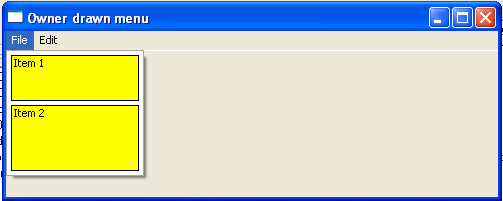
The application below displays a customised menu. Clicking the file options displays a user-defined drop-down list