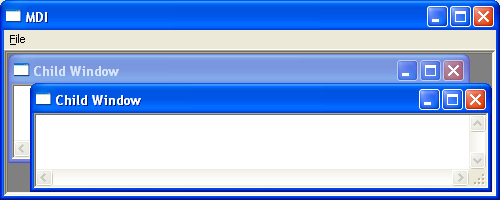
Multiple-Document Interface (MDI)
The Multiple-Document Interface (MDI) allows a user to work with several documents simultaneously within a single application window. Rather than each document appearing in its own top-level window, all document windows are contained inside a single parent window known as the MDI frame window.
An MDI application must register at least two window classes:
- One window class for the MDI frame window.
- One window class for the MDI child windows.
At any one time, only one MDI child window is active. The active child window is displayed in front of the other child windows, and its title bar is highlighted to indicate that it currently has the input focus. Users can move, resize, minimise, maximise, or arrange the child windows independently within the MDI frame window.
Creating an MDI Application
The first step in creating an MDI application is registering the required window classes. One class defines the MDI frame window, while another defines the MDI child window. Additional child window classes may be registered if the application supports different document types.
The window class for the MDI frame window is registered in the same manner as a standard application main window. The window class for an MDI child window is similar to that of a normal child window, with two important differences:
- An icon should be specified because MDI child windows can be minimised within the MDI frame window.
- The menu name should be set to NULL, since MDI child windows do not own menus. Instead, the MDI frame window manages the application's menu, automatically merging it with the system menu of the active child window when required.
Example
The following program demonstrates how to create a Multiple-Document Interface (MDI) application. Selecting File from the menu bar and then choosing New creates a new MDI child window. Each child window contains an edit control that allows the user to enter and edit text independently of the other open documents.